
Justin J. Kim, CPA P.C. logo

Financial Dashboards & Analytics

We build each client a custom dashboard on their own QuickBooks data: the owner KPIs you check first, cash and reconciliation in one place, and a one-page monthly owner report.

Demo

See what a dashboard looks like

Every number in this section is sample data for a demo business. Use the tabs to switch views.

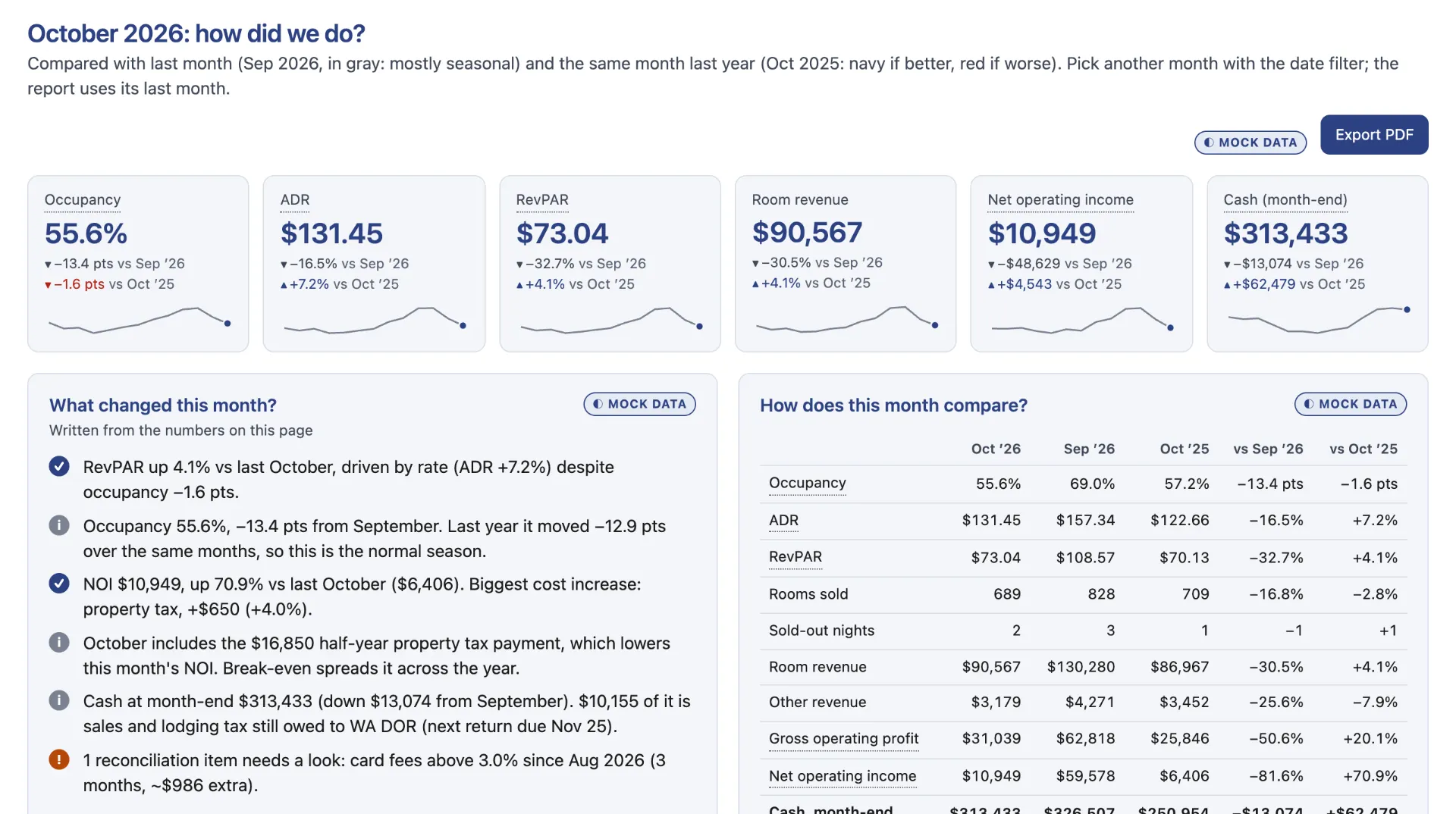
Example dashboard overview with mock data: key-number tiles with trends, a written summary of what changed, and a month comparison table.
Owner overview. The month’s key numbers compared with last month and last year, with a written summary of what changed. Mock data for a demo motel.
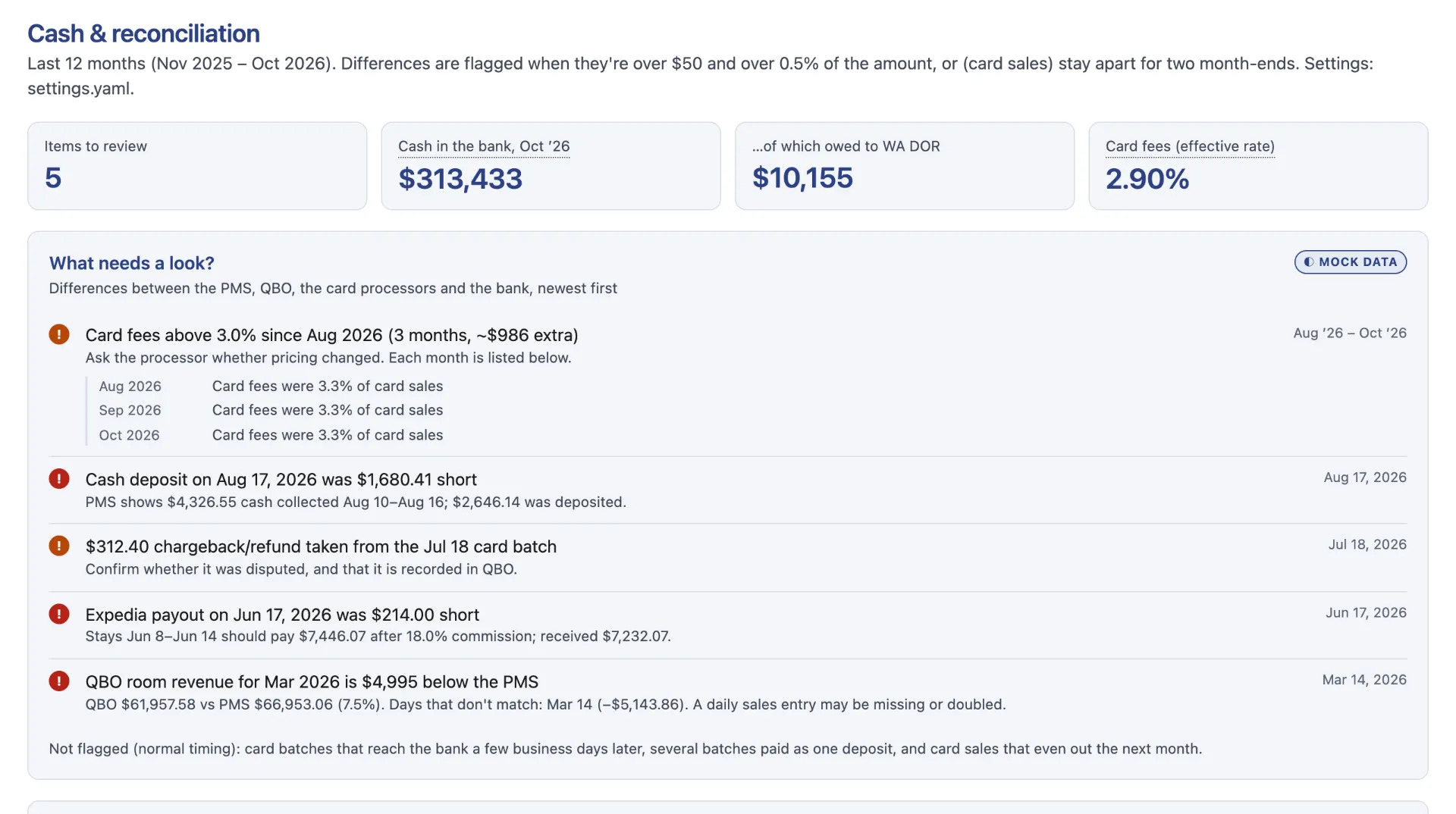
Example cash and reconciliation page with mock data: month-end cash, deposits matched to card batches, and items flagged for review.
Cash & reconciliation. Bank deposits, card batches and the books checked against each other, with anything unusual flagged. Mock data for a demo motel.

What’s included

  • Owner KPIs: revenue, profit and cash at a glance, compared with last month and last year
  • Industry measures where they fit your business
  • Cash & reconciliation: bank deposits, card batches and books checked against each other
  • A one-page monthly owner report (PDF)
  • A short monthly review with your CPA

Who it’s for

  • Owners who want to see how the business is doing without digging through reports
  • Businesses with a lot of card and bank activity to reconcile, such as hotels, restaurants and retail
  • Owners planning for growth, financing or taxes who need numbers they can rely on

How it works

  1. Connect your books

    We start from your QuickBooks Online data and, where useful, reports your business already has, such as bank and card-processor statements.

  2. We build your dashboard

    We set up the views and measures that matter for your business and check every number against your books.

  3. Monthly review

    Each month, after your books are closed, we refresh the dashboard and walk you through what changed.

Schedule a Consultation

FAQ

Dashboard questions

What does the dashboard show?

The numbers an owner checks first (revenue, profit, cash and, where they fit, industry measures), compared with last month and last year, plus cash and reconciliation checks and a one-page monthly report.

Where does the data come from?

From your own books in QuickBooks Online and, where useful, reports your business already has, such as bank and card-processor statements.

How up to date is it?

It is refreshed each month once your books are closed, so the numbers match your reconciled books.

Are the numbers on this page real?

No. Every number on this page is sample data for a demo business.

Ready for clearer numbers?

Tell us about your business. We’ll get back to you to set up an intro call.